XrmToolBox: Difference between revisions
Tag: visualeditor |
No edit summary |
||
| (6 intermediate revisions by the same user not shown) | |||
| Line 1: | Line 1: | ||
'''XrmToolBox''' is a free Windows application that provides a set of tools to simplify your work with the Dynamics backend server (or any similar backend based on | {{Support TOC}} | ||
'''XrmToolBox''' is a free Windows application that provides a set of tools to simplify your work with the [[Dynamics]] backend server (or any similar backend based on Dataverse). | |||
* [https://www.xrmtoolbox.com/ Official webpage] | * [https://www.xrmtoolbox.com/ Official webpage] | ||
* [https://www.xrmtoolbox.com/documentation/for-users/first-steps-with-xrmtoolbox/ Getting started] | * [https://www.xrmtoolbox.com/documentation/for-users/first-steps-with-xrmtoolbox/ Getting started] | ||
== How can XrmToolBox help == | == How can XrmToolBox help == | ||
*Login tester | |||
* Login tester – When a user can connect through a browser, but cannot log into the application using the same, verified credentials, Login tester can be used to test connection through web services (Dataverse). | |||
* | * Fetch XML – Verify that your sync filter/view filter fetches the desired records (Note: fetch must be extracted from .xml file) | ||
* Security role permissions for various objects | * Security role permissions for various objects | ||
[[Category:Support]] | == Connecting to your organization == | ||
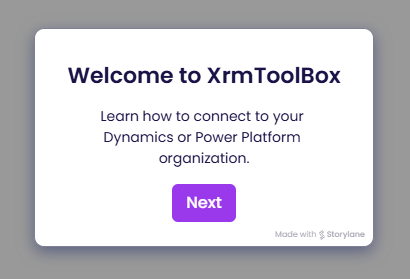
The following demo explains how to connect XrmToolBox to your Power Platform or Dynamics environment. | |||
[[File:Xrmtoolbox-connect-to-organization.png|link=https://resco.storylane.io/share/ovxagvz4x7a1]] | |||
[[Category:Support]] [[Category:Dynamics]] | |||
Latest revision as of 11:42, 13 March 2025
XrmToolBox is a free Windows application that provides a set of tools to simplify your work with the Dynamics backend server (or any similar backend based on Dataverse).
How can XrmToolBox help
- Login tester – When a user can connect through a browser, but cannot log into the application using the same, verified credentials, Login tester can be used to test connection through web services (Dataverse).
- Fetch XML – Verify that your sync filter/view filter fetches the desired records (Note: fetch must be extracted from .xml file)
- Security role permissions for various objects
Connecting to your organization
The following demo explains how to connect XrmToolBox to your Power Platform or Dynamics environment.